
Appearance
Lookbook
Create interactive product showcases with clickable hotspots.
The Lookbook section allows you to display a single image—such as a model wearing multiple products—and overlay interactive points on top of it. Each point highlights a product and pulses to attract attention. When customers click a point, the associated product is opened in a modal window or redirected to the product page.
This section is a powerful way to make your store more interactive, engaging, and visually rich, while helping customers discover products in a real-world context. It works especially well for fashion, lifestyle, and home décor stores where multiple products can be styled together.
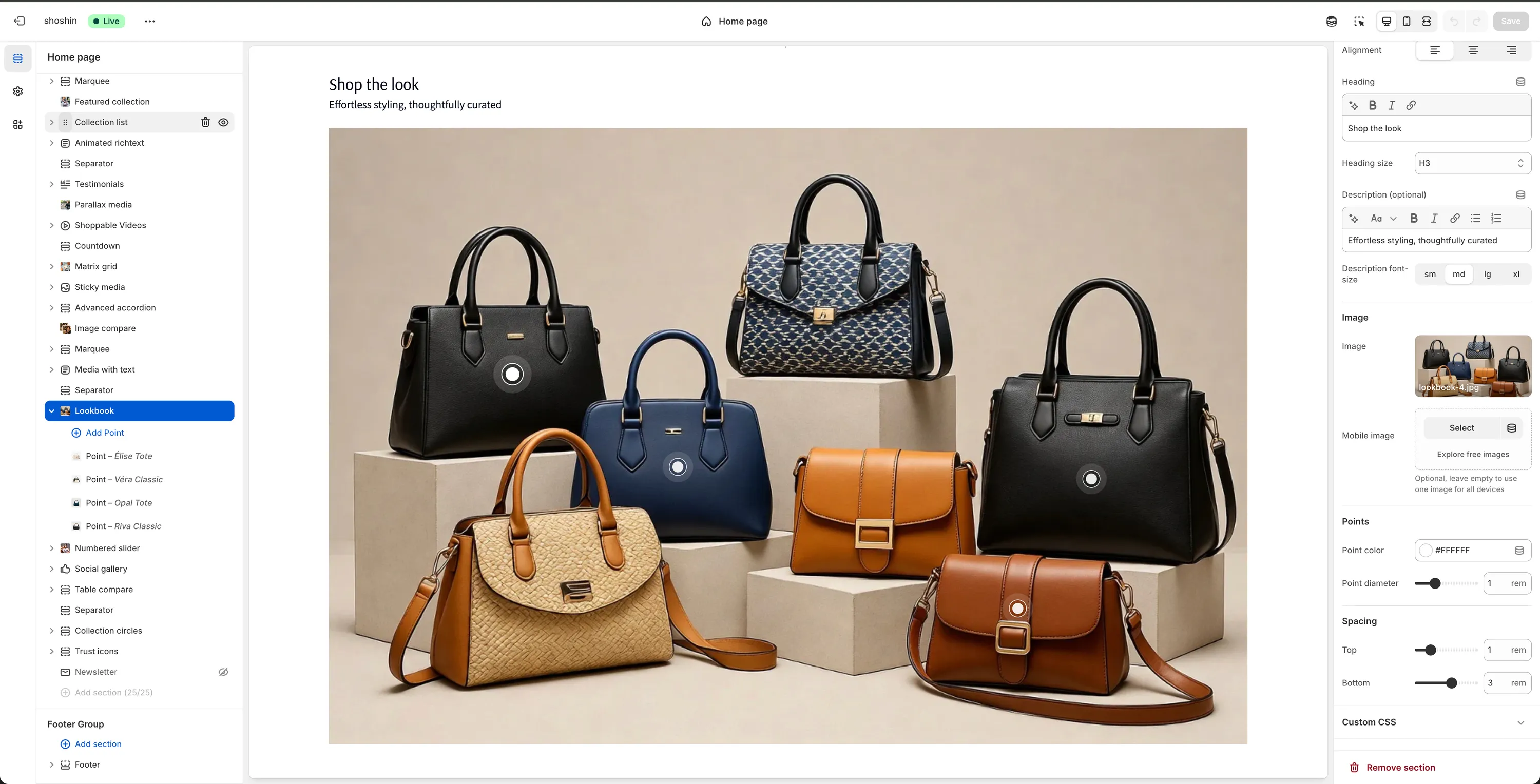
Configuration
In addition to standard section settings (such as color scheme, title, and description), the following options are specific to the Lookbook section.
Image
Image
Upload or select the main image used for the lookbook.Mobile image
Optional image specifically for mobile devices. This is useful if you want a vertically oriented or differently cropped image on mobile. Leave empty to use the same image across all devices.
Points (Global)
Point color
Choose the color of the interactive points. This should contrast well with the image for visibility.
Default:#FFFFFFPoint diameter
Adjust the size of the points.
Note
Each interactive point is added as a block. To add points, simply add blocks to the Lookbook section and configure them individually.
Point Block Settings
Each point added to the section represents a single product hotspot.
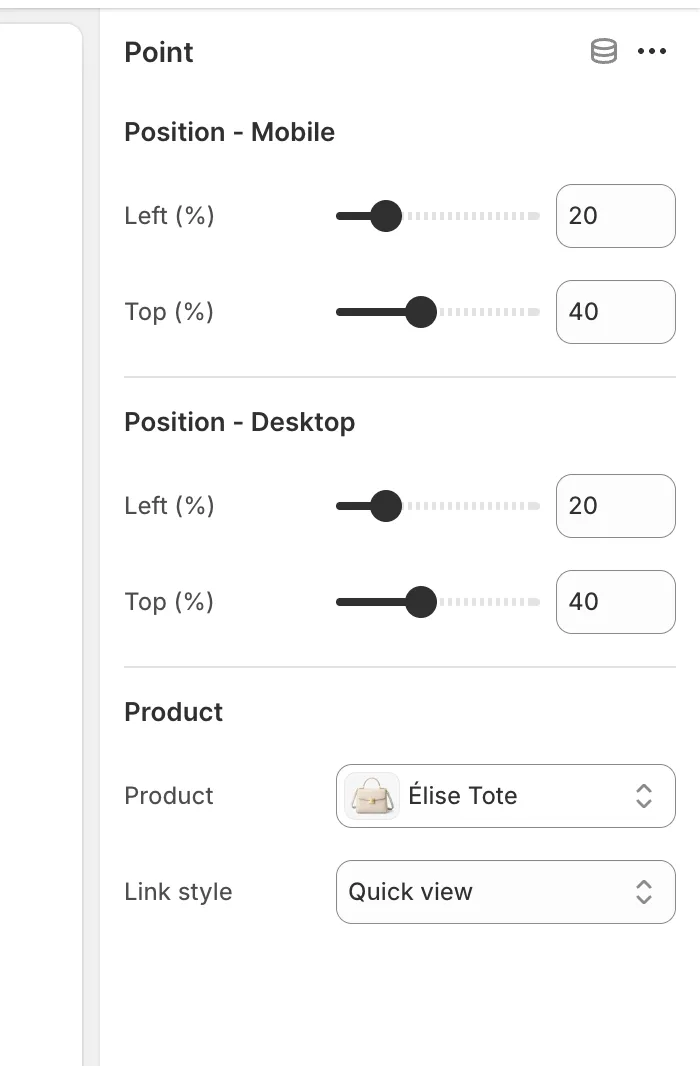
Position – Mobile
Left (%)
Adjust the horizontal position of the point on mobile devices.Top (%)
Adjust the vertical position of the point on mobile devices.
Position – Desktop
Left (%)
Adjust the horizontal position of the point on desktop devices.Top (%)
Adjust the vertical position of the point on desktop devices.
INFO
If the same image is used on both mobile and desktop, these values will usually be the same.
Product
Product
Select the product that will be shown when the customer clicks the point.Link style
Choose how the product is opened. Available options are:- Quick view – Opens the product in a modal window
- Product page – Redirects the customer to the product page